
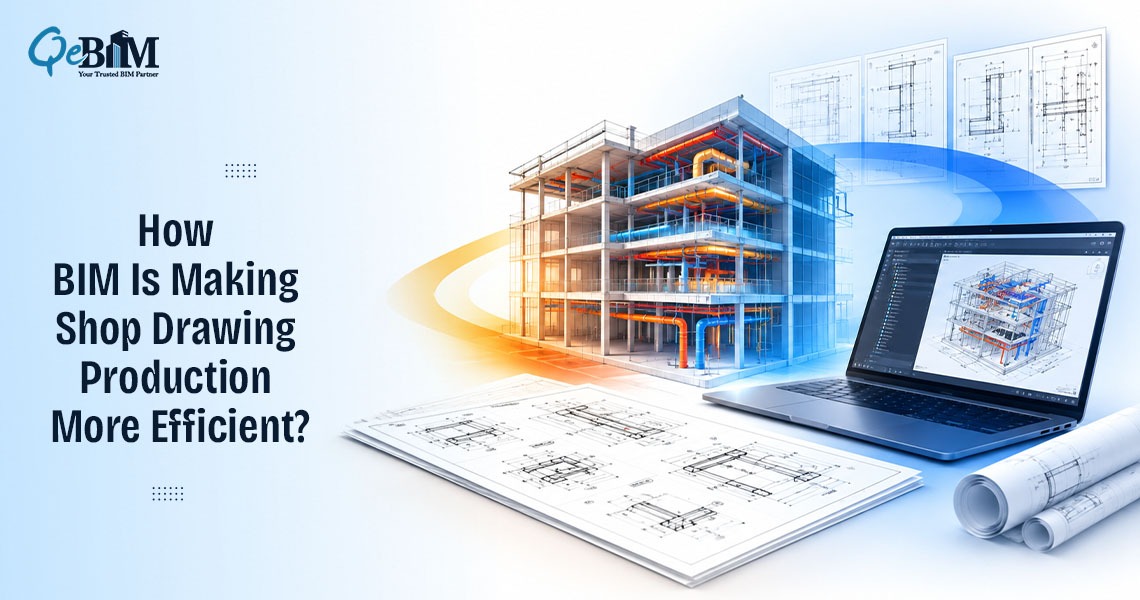
Shop drawings translate design intent into the precise information needed for construction and fabrication. They translate engineering information into the dimensions, assemblies, connections, materials and installation details required by fabricators and site teams.
Traditionally, this process depended heavily on 2D CAD drafting. Detailers interpreted design drawings, created fabrication details, coordinated information manually and revised sheets whenever design changes occurred.
BIM is changing this workflow fundamentally.
Instead of treating shop drawings as independent documents, BIM connects them to a coordinated digital model. Geometry, dimensions, assemblies, specifications, and relationships can be developed within a model and then extracted into drawing sheets, schedules, and fabrication information.
Autodesk has demonstrated workflows in which Revit models can progress into fabrication models and shop drawings for structural steel, rebar, precast concrete, and miscellaneous metals.
The benefit extends well beyond faster drafting. It is a different approach to producing construction information.
From Drawing-Based Detailing to Model-Based Production
In a conventional workflow, the drawing is often the primary source of detailing information.
A structural engineer may issue design drawings, followed by a fabricator or detailer developing separate shop drawings. If a beam dimension, opening, connection or MEP route changes, the corresponding drawing sheets must be identified and revised manually.
BIM changes the relationship between the model and the drawing.
The model becomes an information-rich source from which views, dimensions, annotations, schedules, and sheets can be generated. When properly structured, a change to model geometry can flow into multiple documentation views instead of requiring every affected representation to be redrafted independently.
Autodesk’s Revit documentation capabilities, for example, support fabrication documentation, scheduling and tagging of fabrication elements, construction modeling and preparation of shop drawings.
This creates a more connected production workflow:
Design Model → Coordination → Fabrication-Level Modeling → Shop Drawings → Fabrication → Installation
However, this does not mean that every design BIM model is automatically ready for fabrication.
That distinction is critical.
A Design Model Is Not Necessarily a Fabrication Model
One of the biggest misconceptions surrounding BIM-based shop drawings is that a coordinated design model can simply be converted into fabrication drawings.
In practice, fabrication requires another level of information.
A design model may communicate system intent and approximate geometry, while fabrication requires precise dimensions, connections, assemblies, supports, joints, material information, piece marks, installation relationships and trade-specific detailing.
The model therefore needs to be developed to an appropriate LOD.
The BIMForum’s 2025 LOD Specification provides a framework for defining the content, reliability, and intended use of model elements at different stages of project delivery. It specifically helps downstream users understand what information they can rely on from a model.
For shop drawing production, the practical implication is straightforward:
More detailed geometry does not necessarily mean more useful information.
The model must contain the right information for the intended fabrication and installation process.
Coordination Happens Before the Drawing Sheet
Traditional detailing can identify conflicts while drawings are being prepared. BIM moves much of this problem-solving earlier in the workflow.
Architectural, structural, MEP, fire protection and other discipline models can be federated and checked for spatial conflicts before fabrication information is finalized.
For example, a duct route may conflict with a structural beam. A cable tray may conflict with the location of a pipe support. A sprinkler main may compete for the same ceiling zone as lighting services.
Model coordination tools can automatically detect clashes between different project models, allowing teams to identify and resolve conflicts before construction begins.
This changes the purpose of shop drawings.
They are no longer simply documents that explain what to build. They increasingly represent the outcome of a coordinated process that has already tested whether it can be built in the proposed configuration.
That makes coordination quality just as important as drafting accuracy.
One Model Can Support Multiple Drawing Outputs
Another major change is the ability to generate multiple documentation outputs from structured model elements.
A single modeled assembly can support:
- Plan and elevation views
- Sections and enlarged details
- Assembly drawings
- Fabrication drawings
- Installation drawings
- Schedules and quantities
- Part or piece marks
- Material information
- Revision documentation
This is particularly valuable for repetitive building components.
Consider an MEP system containing hundreds of duct sections. In a conventional workflow, each drawing may require substantial manual drafting and updating. In a structured BIM workflow, modeled elements can carry consistent parameters and relationships that support drawing production and scheduling.
Similarly, structural BIM workflows can use model elements and assemblies to produce rebar, steel, precast, and concrete-related shop drawing outputs. Autodesk’s documented workflows demonstrate the use of model-based parts, assemblies, annotation, numbering, and data extraction for these applications.
The efficiency comes from reusing structured information rather than repeatedly recreating it.
Parametric Changes Reduce Repetitive Rework
Parametric modeling is another important factor.
In a well-structured BIM environment, elements are not merely lines representing geometry. They contain relationships and parameters.
Suppose a steel member changes size. The corresponding geometry, views, dimensions, and potentially associated schedules can update as part of the model workflow.
Similarly, if an MEP route is relocated, associated views can reflect the revised geometry.
This does not eliminate quality control. Dimensions, annotations, view extents, detailing standards, fabrication requirements, and sheet layouts still need to be reviewed.
But it can reduce the risk of one of the most persistent problems in conventional documentation: updating one drawing while unintentionally leaving another representation unchanged.
Shop Drawings Become More Connected to Fabrication
BIM is also narrowing the gap between detailing and fabrication.
Fabrication-level models can contain information that supports downstream processes such as material take-offs, assembly identification, production planning, and installation.
For example, Autodesk’s precast workflows describe extracting data from live model elements to support production, delivery, and erection processes.
This creates a more continuous information chain:
Model Element → Assembly → Drawing → Fabrication Data → Installation
Rather than recreating information at each stage, teams can continuously develop, update, and reuse it.
This is one of BIM’s most significant contributions to shop drawing production.
Revisions Become an Information Management Problem
BIM also changes how revisions are managed.
In a drawing-centric workflow, revision control largely revolves around identifying affected sheets, updating dimensions and details, clouding changes, and issuing revised PDFs or CAD files.
In a BIM workflow, the impact of a change can extend across the model and all its associated outputs.
That makes information management increasingly important.
ISO 19650 establishes principles for managing information using BIM across the lifecycle of built assets. Its focus is not simply on creating 3D models but on organizing and managing information so that it can be exchanged and used effectively.
For shop drawing workflows, this means teams need clear rules for:
- Model ownership
- File and version control
- Naming conventions
- Information exchange
- Model status
- Revision procedures
- Approval workflows
- Responsibility for fabrication-level development
BIM therefore improves documentation only when the underlying information-management process is disciplined.
The Role of the Detailer Is Evolving
BIM does not make the detailer obsolete. It changes what the detailer needs to do.
The modern detailer must understand both construction documentation and model behavior.
Instead of concentrating primarily on linework, the role increasingly involves:
Model interpretation → Constructability → Fabrication logic → Coordination → Detailing → Documentation → Quality control
A BIM detailer needs to understand how an assembly will actually be fabricated and installed—not simply how it appears in a 3D model.
This distinction is particularly important because a visually complete model can still contain insufficient information for fabrication.
The best BIM workflows therefore combine software capability with trade knowledge, engineering understanding, and constructability expertise.
What This Means for Contractors and Fabricators?
For contractors and fabricators, BIM-based shop drawings can provide greater visibility before materials reach the jobsite.
Potential benefits includes:
- Earlier identification of spatial conflicts
- Better understanding of installation conditions
- More consistent documentation
- Reduced duplication of drafting effort
- Improved revision coordination
- Better material and quantity information
- Greater connection between design and fabrication
- Improved communication between project participants
Virtual BIM coordination workflows can also use coordinated models to resolve issues before installation and subsequently produce field-use drawings for fabrication and construction.
The value is therefore not limited to producing drawings faster.
It is about reducing uncertainty before construction activity begins.
What to Look for in a BIM-Based Shop Drawing Workflow?
A reliable BIM-to-shop-drawing workflow should include more than simply exporting 2D views from a model.
Key checkpoints should include:
- Model validation
Confirm that the source model reflects the latest approved design information. - LOD assessment
Determine whether the model contains sufficient geometry and information for the intended fabrication purpose. - Trade-specific detailing
Develop assemblies, connections, supports, penetrations, and other information required by the fabricator. - Multidiscipline coordination
Check the fabrication model against architectural, structural, MEP, and other relevant systems. - Drawing extraction
Generate appropriate plans, sections, details, schedules, and fabrication views. - Independent QA/QC
Review dimensions, annotations, model-to-drawing consistency, numbering, specifications, and revision information. - Approval and issue control
Ensure that only the approved information reaches fabrication and site teams.
This approach turns BIM into a controlled production system rather than simply a 3D visualization tool.
The Future of Shop Drawing Production Is Model-Driven
The fundamental change is simple: shop drawings are moving from being independently drafted documents to being outputs of a coordinated information environment.
2D drawings remain essential. Fabricators and site teams still need clear sheets, dimensions, details, schedules, and installation information.
What is evolving is the way these documents are created, coordinated and maintained.
A capable BIM Company can support this transition by combining model development, coordination, fabrication-level detailing, documentation, and QA/QC into a connected workflow rather than treating each activity as a separate task.
Likewise, modern Shop Drawing Services increasingly depend on the quality of the underlying BIM model and the ability of detailers to translate model information into fabrication-ready documentation.
The future is therefore not about replacing shop drawings with BIM.
It is about using BIM to make shop drawings more coordinated, information-rich, traceable, and constructible.
When the model, drawing, fabrication process, and site installation are connected, shop drawings stop being just a documentation requirement.
They become an active part of the construction workflow.