Introduction
BIM has transformed how the AEC professionals design, coordinate and delivers the projects. However, as projects become more complex, BIM teams spend a significant amount of time on repetitive tasks such as parameter updates, quality checks, model validation, documentation and family management.
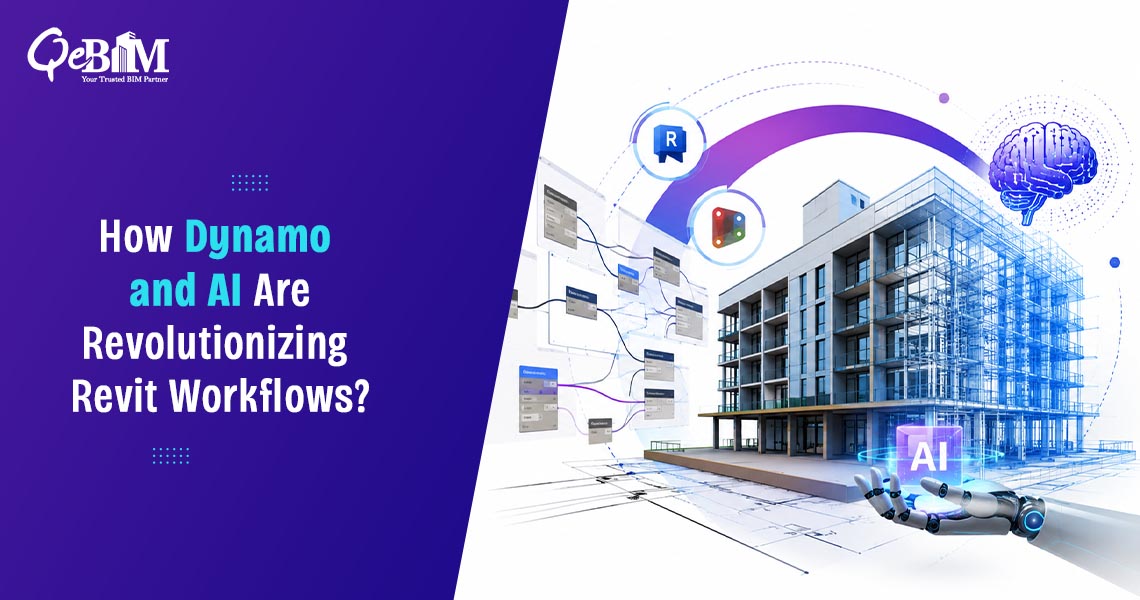
Automation is changing this workflow. With Dynamo and Artificial Intelligence (AI), Autodesk Revit is evolving beyond a modeling platform into an intelligent design and project automation environment. These technologies helps in reducing the manual effort, improving the model consistency thus enabling the BIM professionals to focus on higher-value engineering decisions instead of repetitive modeling activities.
According to Autodesk’s Design & Make report, organizations that adopts the digital transformation technologies—including automation and AI—reports improved productivity, better project outcomes and stronger business resilience. Similarly, McKinsey estimates that the digital technologies can improve the construction productivity by up to 15% while significantly reducing the project reworks.
Why Automation Matters in BIM?
Traditional BIM workflows involves numerous repetitive operations that consumes the valuable project hours.
These includes:
- Renaming hundreds of views
- Creating sheets
- Updating parameters
- Checking model standards
- Generating schedules
- Detecting duplicate elements
- Reviewing the clash reports
- Managing worksets
- Batch exporting files
Although each task appears simple, collectively they represent hundreds of hours on medium and large-scale projects.
Automation minimizes the repetitive work while increasing the accuracy and consistency across the entire BIM lifecycle.
Understanding Dynamo for Revit
Dynamo is Autodesk’s visual programming environment that enables the users to automate the Revit tasks without extensive software development experience.
Instead of writing traditional code, users create node-based workflows that executes predefined operations inside Revit.
A Dynamo graph can:
- Read model information
- Process project data
- Apply calculations
- Modify Revit elements
- Generate geometry
- Export reports
- Connect with Excel and databases
For advanced users, Python scripts can also be integrated within Dynamo to build highly customized automation workflows.
Common Revit Tasks Automated Using Dynamo
- Bulk Parameter Management
Updating thousands of element parameters manually can consume several hours.
Dynamo automates:
- Shared parameters
- Project parameters
- Instance values
- Type parameters
- Metadata synchronization
Entire models can be updated in minutes.
- Automated Sheet Creation
Large projects often require hundreds of sheets.
Dynamo can automatically:
- Generate sheets
- Place views
- Assign templates
- Number drawings
- Populate title blocks
This dramatically reduces documentation time.
- View Organization
Maintaining view naming standards is essential for BIM execution plans.
Automation helps to:
- Rename views
- Apply naming conventions
- Organize browser structures
- Assign templates
- Remove duplicate views
- Model Quality Checks
Quality assurance is one of Dynamo’s strongest applications.
Scripts can automatically detect:
- Missing parameters
- Duplicate elements
- Incorrect categories
- Invalid families
- Empty annotations
- Incorrect levels
- Naming inconsistencies
This allows issues to be identified before coordination meetings.
- Quantity Extraction
Rather than manually creating schedules, Dynamo can extract the project quantities directly from the model and export them to Excel or databases.
Applications includes:
- Material take-offs
- Concrete volumes
- Steel quantities
- Room schedules
- Equipment lists
How Artificial Intelligence Enhances Revit Workflows?
While Dynamo automates predefined rules, AI introduces intelligent decision-making based on the data patterns.
Modern AI tools can analyze BIM models, identify anomalies and recommend improvements that previously required experienced model reviewers.
AI supports the BIM professionals by making workflows faster—not by replacing engineering expertise.
AI Applications in Revit
Intelligent Model Validation
AI algorithms can review models and identify:
- Missing objects
- Inconsistent geometry
- Documentation gaps
- Incorrect relationships
- Coordination risks
Instead of manually checking thousands of components, reviewers receive prioritized recommendations.
Smart Clash Prioritization
Traditional clash detection software identifies every conflict.
AI helps distinguish between:
- Critical clashes
- Minor clashes
- Duplicate clashes
- False positives
This enables coordination teams to resolve the most impactful issues first.
Automatic Family Suggestions
AI can recognize similar components across the projects and recommend reusable families.
Benefits includes:
- Standardization
- Reduced duplication
- Faster modeling
- Better library management
This complements Revit Family Creation Services by helping organizations maintain efficient, standardized content libraries.
Predictive Design Assistance
Emerging AI-powered tools can recommend:
- Space layouts
- Structural arrangements
- MEP routing options
- Code compliance improvements
- Energy optimization strategies
Designers remains in control while AI provides data-driven recommendations.
Documentation Automation
AI is increasingly used to:
- Generate annotations
- Identify missing tags
- Suggest dimensions
- Verify documentation completeness
- Improve drawing consistency
These capabilities significantly accelerates the construction documentation.
Benefits of Combining Dynamo and AI
Organizations adopting both technologies experience improvements across multiple areas.
| Area | Traditional Workflow | Automated Workflow |
| Documentation | Manual | Automated |
| Parameter Updates | Hours | Minutes |
| Model QA | Manual review | Continuous validation |
| Quantity Extraction | Manual schedules | Automated reporting |
| Family Management | Manual organization | AI-assisted standardization |
| Coordination | Reactive | Predictive |
Real-World Applications
Automation is now widely used across multiple sectors.
Commercial Buildings
- Sheet generation
- Room validation
- Space planning
- Documentation automation
Healthcare Projects
- Equipment scheduling
- Medical room verification
- Compliance checks
Infrastructure
- Bridge component management
- Civil structure documentation
- Asset parameter automation
Industrial Facilities
- Pipe tagging
- Equipment numbering
- Maintenance data synchronization
Residential Developments
- Unit replication
- Apartment scheduling
- Standardized documentation
Challenges to Consider
Despite its advantages, automation requires thoughtful implementation.
Organizations should addresses:
- Script maintenance
- Version compatibility
- Staff training
- Data governance
- BIM standards
- Workflow documentation
Poorly designed scripts can introduce errors at scale, making governance and testing essential.
Best Practices for Successful Automation
To fully utilize the benefits of Dynamo and AI:
- Standardize Revit templates before automating.
- Establish consistent naming conventions.
- Document all automation scripts.
- Validate automated outputs through QA/QC processes.
- Train BIM teams in visual programming fundamentals.
- Maintain centralized script and family libraries.
- Continuously review and optimize automation workflows as project requirements evolve.
The Future of Revit Automation
The next generation of BIM automation will move beyond task execution toward intelligent project assistance.
Industry trends indicate growing adoption of:
- AI-powered BIM assistants
- Natural language model queries
- Automated code compliance checking
- Intelligent clash resolution
- Digital twins connected to live building data
- Cloud-based automation workflows
- Generative design integrated with project constraints
As AI capabilities continue to mature, BIM professionals will increasingly supervise and optimize automated processes rather than perform repetitive modeling tasks manually.
Conclusion
Automation is redefining how BIM projects are delivered. Dynamo eliminates repetitive modeling and documentation tasks through rule-based workflows, while AI adds intelligence by analyzing data, identifying issues and supporting better design decisions. Together, these technologies improve model quality, accelerate project delivery and enable teams to focus on engineering, coordination and innovation instead of routine work.
Organizations investing in Revit BIM Services that incorporate automation are better positioned to deliver consistent, high-quality models, reduce project risks and scale efficiently across increasingly complex construction projects. As digital transformation accelerates across the AEC industry, combining Dynamo with AI will become a defining capability for achieving greater BIM productivity and long-term project success.